
The NOBLE Classic Catalog will be removed as of Wednesday, April 1. At that time, the View the classic catalog banner displaying at the top of most libraries’ Aspen page will disappear. Users will be redirected to the Select your library’s catalog page when using the https://classic.noblenet.org domain. It may take some time for the redirect to propagate on the Internet. If patrons happen to find a page with the native Evergreen catalog, they will be unable to log into their account. All patron access to NOBLE collections will now happen through Aspen.
The Electronic Resources and Databases Working Group (ERDWG) has approved some Aspen changes to improve the usability of the new catalog. These updates will also go live on Wednesday, April 1.
- The font used throughout the catalog will change to the Atkinson Hyperlegible font. This font was developed by the Braille Institute of America to improve legibility and readability for individuals with low vision. Font sizes will also increase with this update.
- The elements on the grouped work page and the record page will be re-ordered so that details about the group/title will appear above the NoveList content. See the below screenshots for an example.
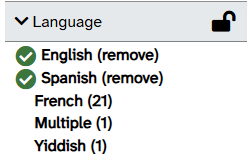
- The language facets on the search results page will function a little differently. Selecting two languages at the same time (e.g. English and Spanish) will result in a search that retrieves materials in both English AND Spanish. This change will assist in locating bilingual materials. Current behavior is to find materials in English OR Spanish.
Screenshots showing new font and order of elements
Current Catalog
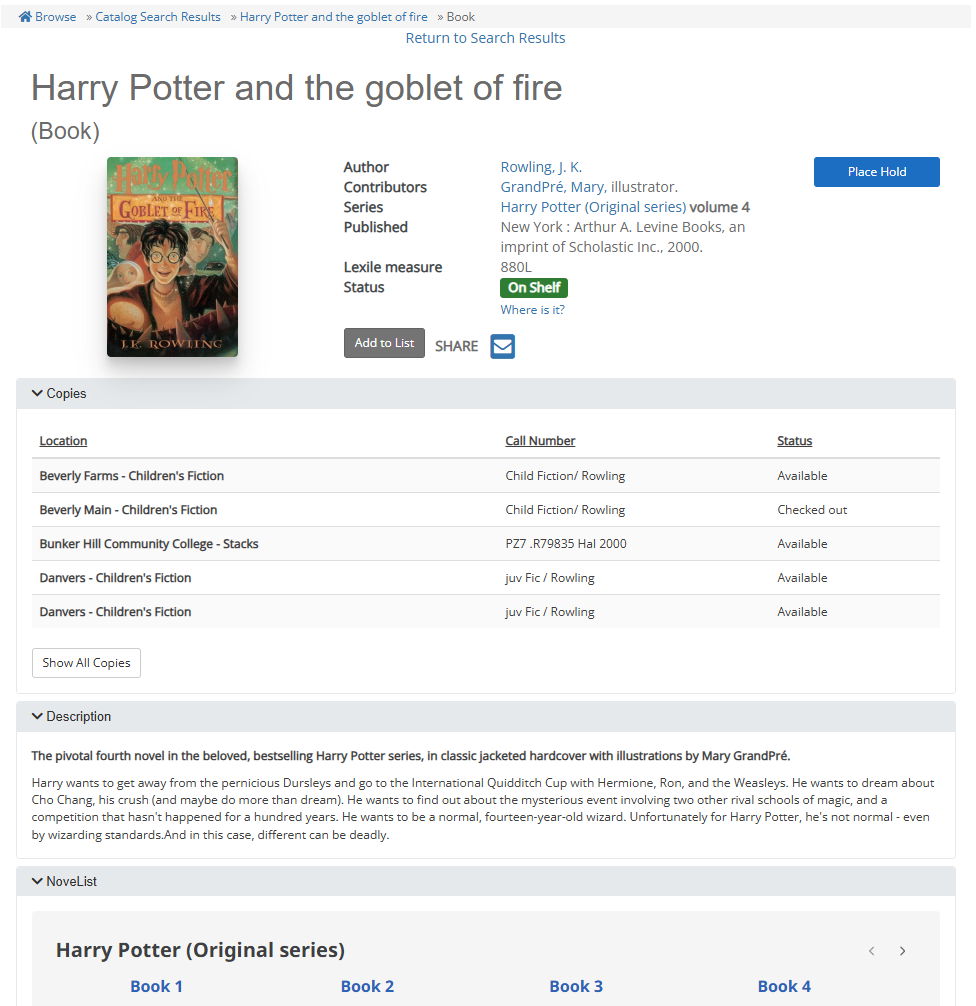
Click image to see larger version
April 1 Update
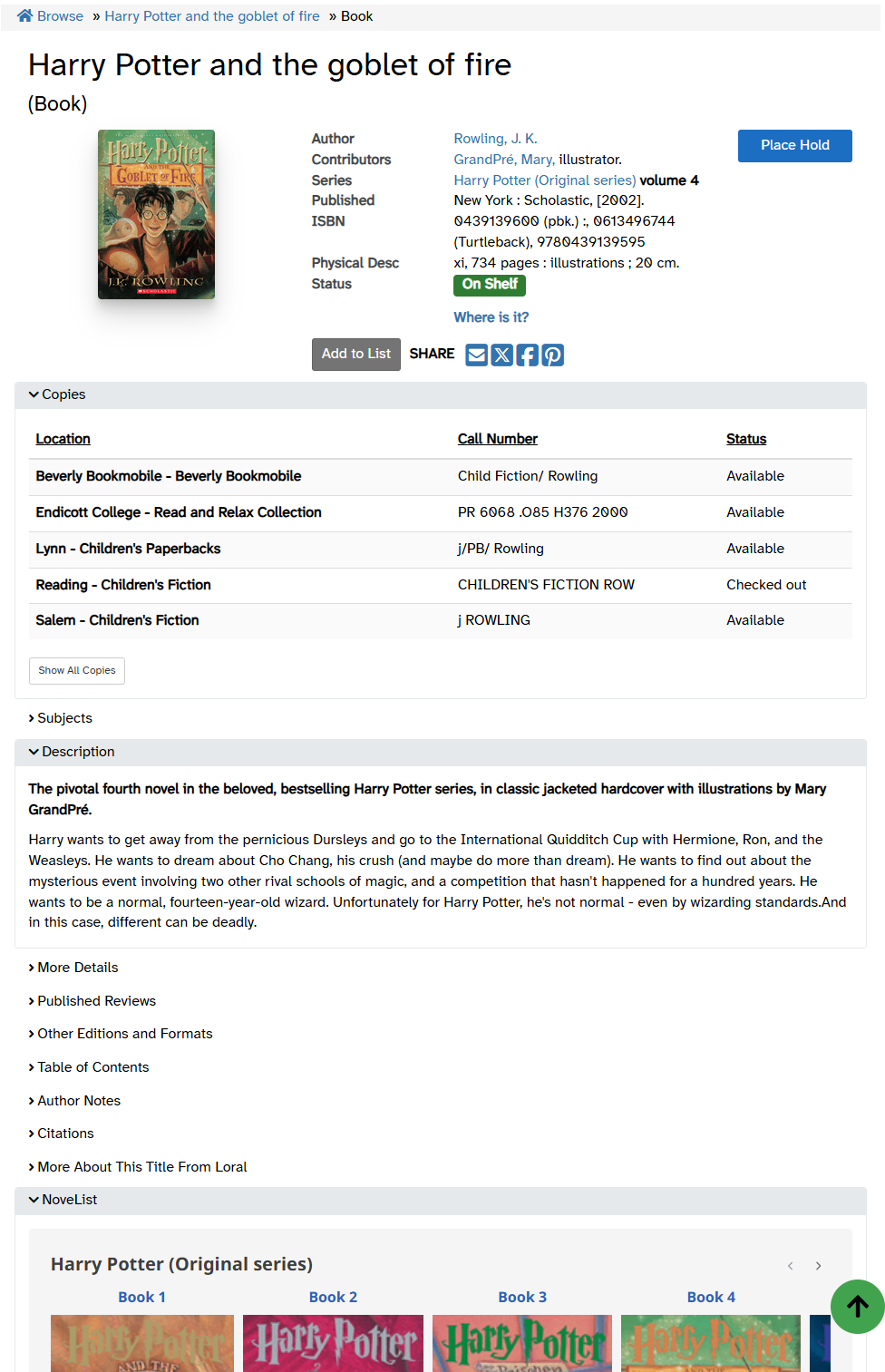
Click image to see larger version
New Language Facet
If you have any questions, feel free to send an email to support@noblenet.org.